Most small businesses and nonprofits think about website maintenance exactly once, right after something breaks.
A contact form that stopped sending emails three weeks ago. A homepage image that somehow disappeared. A Google ranking that quietly slid off page one while nobody was watching. By the time these things get noticed, the cost is already real...Leads that never came in, donors who couldn't find the donate button, clients who landed on a broken page and assumed the business was closed.
Website maintenance is the work that prevents those moments. It is not glamorous. It is not visible when it is done well. That is exactly the point.
This guide covers what professional website maintenance includes, what it realistically costs, when it makes sense to handle it yourself, and what to look for when you hire someone to do it for you.
What Website Maintenance Actually Is (And What It Isn't)
Website maintenance is the ongoing work of keeping your site fast, secure, accurate, and functioning correctly. It is not a one-time task. It is not something that happens automatically. And it is not the same as having someone available to make changes when you ask.
Real website maintenance is proactive, not reactive. It means someone is checking your site regularly — before problems become visible — and catching the small issues that compound into large ones when ignored.
Here is what that looks like in practice:
Platform and plugin updates. Whether your site runs on WordPress, Squarespace, Webflow, Framer, GoDaddy, or another one of the numerous CMS options out there, the underlying software needs to be kept current. Outdated plugins are behind more than half of all WordPress security incidents. Updates that go unmanaged for months create real vulnerability.
Performance monitoring. Page speed affects both user experience and Google rankings. A site that loaded in 2.3 seconds in January can be loading in 6 seconds by June if images are piling up, scripts are accumulating, or platform changes have introduced new load weight. Monthly performance checks catch these drops before they affect your traffic.
Broken link and form audits. Links break when pages get renamed, moved, or deleted. Forms stop working when integrations change or email settings shift. A broken contact form on a nonprofit donation page or a service business website is a direct revenue problem — and it is the kind of thing that can go unnoticed for weeks without someone actively checking.
Security scanning. Malware, spam injections, and unauthorized access attempts are not hypothetical risks. They are routine for any site with more than minimal traffic. Regular security scans catch intrusions early.
Backup verification. Most platforms run automated backups but some like Squarespace have no integrated options for backing up your site. Backup verification means actually confirming those backups ran correctly and that a restore is possible if needed. Automated does not always mean functional. On Squarespace? Here's
how to backup your Squarespace website with just one click!
Uptime monitoring. Your site goes down sometimes. Every site does. The question is whether you find out from your monitoring service or from a client who tried to visit and could not.
Content accuracy. Team members change. Services evolve. Events pass. Pricing shifts. A maintained site reflects the current reality of your organization — not where you were eighteen months ago when the site launched.
The Problem Most Small Business and Nonprofit Sites Actually Have
After years of building and maintaining websites for nonprofits, small businesses, and creatives, the most common maintenance problem I encounter has nothing to do with technology.
It is lack of workflow.
When multiple people have access to a website — a communications director, a program coordinator, a volunteer, an intern — content gets added in different ways by different people with different levels of experience.
Pages get duplicated without changing the slug, creating URL conflicts that confuse both visitors and search engines. Images get uploaded without alt text, creating accessibility gaps that compound over time. Brand guidelines get quietly ignored in favor of whatever seemed to work in the moment. Headings get applied inconsistently. Font sizes drift. The site that launched looking polished starts looking like it was built by too many cooks in the kitchen.
This is not a criticism of the people doing the work. It is a systems problem. Without clear workflows, documented standards, and someone checking the output regularly, drift is inevitable.
Good website maintenance includes catching this drift. It means reviewing new content against brand and
accessibility standards, flagging inconsistencies before they accumulate, and helping the team understand what the standards are in the first place.
When DIY Website Maintenance Makes Sense
My goal with every website I build is to leave the client capable of maintaining it themselves — if they want to and have the skills to do so.
Training is included in every project I deliver. I want clients to feel genuinely empowered to update their own content, add their own images, and make their own changes. For clients who are comfortable in their CMS and have someone on their team who genuinely enjoys this kind of work, DIY maintenance is a completely reasonable approach.
It makes sense when:
- You or someone on your team is genuinely comfortable in your CMS and enjoys working in it
- Your site is relatively stable and does not change frequently
- You have documented workflows for how content gets added and updated
- You are on a hosted platform like Squarespace, WIX, or Webflow where platform-level security and updates are handled for you
- You have the bandwidth to check your site regularly rather than only when something feels wrong
It stops making sense when:
- Nobody on your team has time to check the site consistently
- Your site runs on WordPress with multiple plugins and hosting options that need regular updates
- You have multiple people with CMS access and no shared standards
- Your site is actively used for fundraising, lead generation, or e-commerce where downtime has a direct financial cost
- You have been meaning to do a maintenance pass for several months and it keeps getting pushed
The honest reality is that most small organizations fall somewhere in the middle. They have someone who can handle content updates but not someone who is going to run monthly QA audits, check PageSpeed, verify backups, and monitor for broken links on top of everything else they are responsible for.
That is where professional maintenance fills the gap — not by replacing your team's capability, but by handling the technical oversight your team was never meant to do in the first place.
What Website Maintenance Costs in 2026
Professional website maintenance for small businesses and nonprofits typically runs between $300 and $1,000 per month depending on the platform, the size of the site, and the level of service included.
Here is how to think about the tiers:
Entry level ($150-$350/month) covers the basics — platform updates, security scanning, uptime monitoring, and a monthly report. This is the right fit for stable sites that do not change frequently and where the primary need is someone keeping an eye on things.
Mid-tier ($300-$600/month) adds content updates — This is the right fit for organizations where the website is actively used to support outreach, fundraising, or lead generation.
Full-service ($600-$1,000+/month) adds strategic support — SEO monitoring, quarterly site audits, landing page creation, and deeper analytics review. This is the right fit for organizations with active growth goals where the website is a primary business tool.
What you should not pay for is a low-cost plan that is entirely automated with no human review. Scripts can catch some things. They cannot tell you that your homepage headline no longer reflects your current positioning, that your contact form response goes to an email address that was deactivated eight months ago, or that a new team member has been uploading uncompressed images that are quietly degrading your page speed. That takes someone who actually looks.
What to Look for When Hiring a Website Maintenance Provider
Not all maintenance services are equal. Here is what matters when you are evaluating someone to maintain your site.
They maintain sites on your platform. WordPress maintenance is different from Squarespace maintenance. Make sure whoever you hire has real experience with your specific CMS — not just a general claim to handle "all platforms."
They provide a monthly report. You should know what was checked, what was fixed, and what was flagged every single month. If a provider cannot tell you what they did, you have no way of knowing whether they did anything.
They catch things before you do. A good maintenance provider finds problems before your clients, donors, or customers encounter them. If you are always the one telling your maintenance provider that something is broken, that is not maintenance — that is reactive support.
They understand your goals. A nonprofit running an annual fundraising campaign has different maintenance priorities than a service business generating leads through SEO. Your provider should understand what your site is actually trying to do and calibrate their work accordingly.
They are accessible. When something urgent happens, you should be able to reach the person maintaining your site directly — not submit a ticket and wait two business days.
There is a clear scope. Know exactly what is included in your plan, what counts toward your banked hours, and what would trigger an additional charge. Vague maintenance contracts lead to frustrating conversations later.
Website Maintenance for Nonprofits: A Few Extra Considerations
Nonprofits have some specific maintenance considerations that general small business advice does not always address.
Donation infrastructure. If your site processes donations directly — through an embedded form, a third-party integration, or a payment gateway — that infrastructure needs to be tested regularly. Payment processor integrations break when APIs update. Donation forms stop working when SSL certificates expire. These are not hypothetical scenarios — they are things I catch regularly during QA audits.
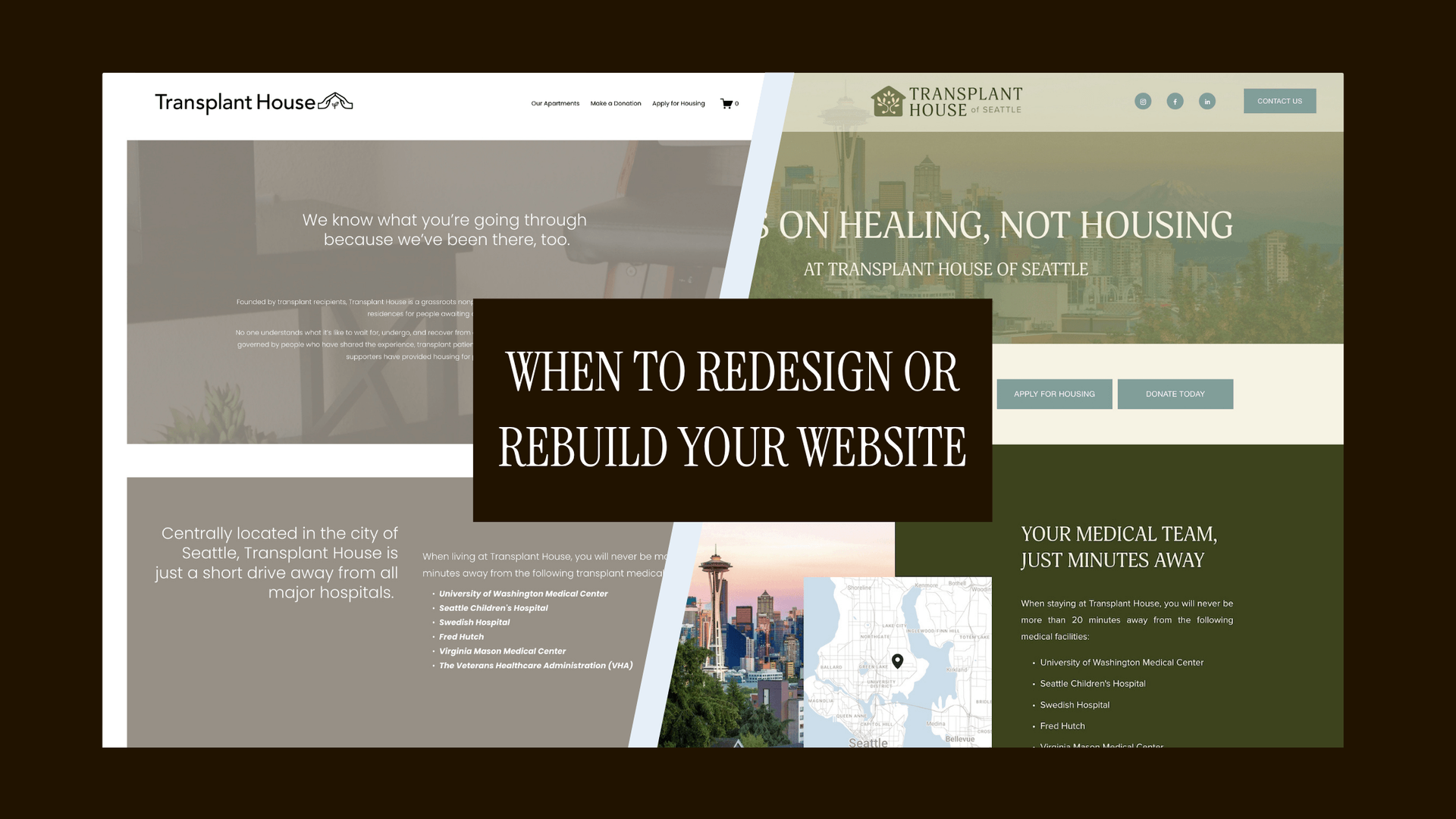
Transplant House was quietly losing gifts for over a year before launching an integrated donation widget and rerouting the lost donations.
Accessibility compliance. Nonprofits are increasingly subject to ADA website accessibility standards, and those standards are not a one-time checkbox. New content, new images, and new pages all need to meet accessibility requirements. Regular audits catch the gaps that accumulate as content is added over time.
Volunteer and multi-user access. Nonprofits often have more people with CMS access than comparably-sized businesses — staff, board members, volunteers, interns. Clear workflows and regular content audits are especially important in multi-user environments.
Grant and funder visibility. Many funders review grantee websites as part of the due diligence process. A site that is outdated, broken, or inconsistent with your current programs is a real credibility risk — not just a technical inconvenience.
How to Get Started With Professional Website Maintenance
If you have been managing your own site and you are ready to hand off the technical oversight, here is what to expect from the onboarding process.
A good maintenance provider will start with a site review — not to upsell you on a redesign, but to understand what they are taking on. They should be looking at your platform, your plugins, your current performance scores, any existing issues, and your goals for the site.
From there, onboarding should take about a week. You will provide CMS access, confirm the scope of your plan, and establish how you will communicate going forward. Your first monthly report should arrive within 30 days.
If you are not sure which tier of service is right for you, start with a conversation. A provider who asks good questions about your goals, your team, and your site's role in your organization is a better sign than one who immediately presents you with a package and a price.