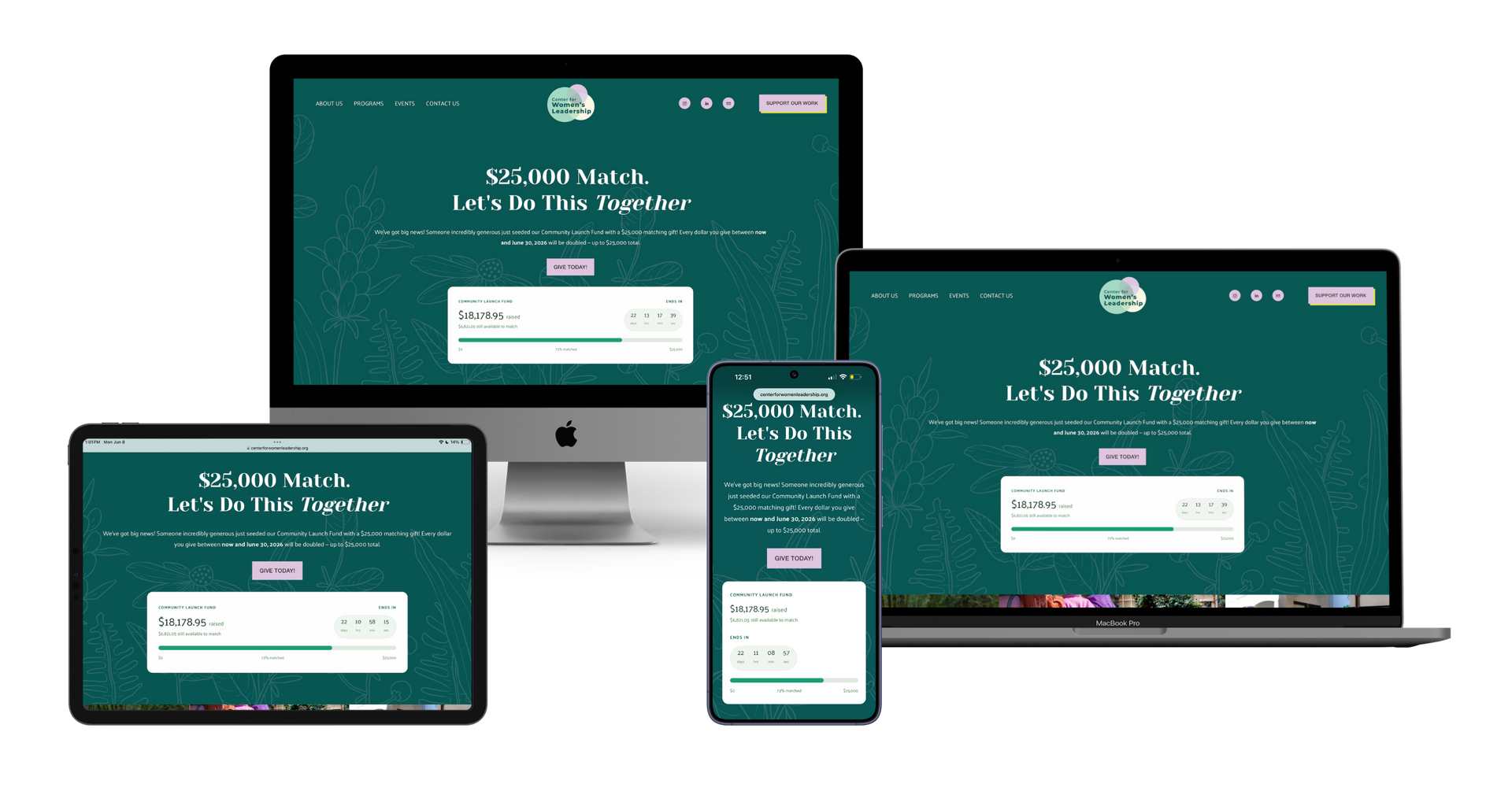


Most web designers will show you a beautiful portfolio. They'll talk about their process, their aesthetic, their passion for design. And the websites they show you will mostly look great.
What you won't see until it's too late is what's underneath.
After 15 years building websites, scaling websites to millions of monthly visitors, consulting on over $5M in website acquisitions, and inheriting project after project from agencies and freelancers alike, I can tell you: the surface is rarely the problem. It's everything underneath it that determines whether your website actually works for your business long-term.
This guide will help you hire the right person, whether that's me or anyone else, that will ensure the foundation of your web build is solid.
The Questions to Ask Before You Hire A Web Designer
These are the questions I'd want someone to ask me. If a designer or developer can't answer them confidently, move on.
"Will I be able to update this site myself after launch?"
The right answer is yes — with some reasonable training. If the answer involves any version of "you'll need to contact us for updates," make sure you understand what that actually costs and what it locks you into long-term. Your site should work for your team, not hold it hostage.
If you don't want to handle any onoging website maintenance, be sure to ask about their website maintenance services and make sure you account for that cost over time. I'm all about empowering my clients to use their site, but understand that a lot of teams prefer to off-load that responsibility as well. Before your coversation, think through how involved you want to be long-term.
"What CMS or platform are you building on, and why?"
There's no universally right answer here, but there should be a real answer. WordPress, Squarespace, Webflow, Wix — all have trade-offs. Custom code has trade-offs. What matters is that the designer and you understand the limits of the platform they're recommending and whether those limits will work for your team, your budget, and your goals five years from now.
"What's included in terms of SEO setup?"
Basic on-page SEO should be non-negotiable. Title tags, meta descriptions, header structure, image alt text, a clean sitemap, and Google Search Console connection. If these aren't included as standard, ask why.
"Will the site include legal pages?"
Privacy policy, terms of service, cookie policy and an accessibility statement. These should come standard. Not copy of course, but page inclusion. If they're not in scope, ask to add them. It matters.
"How do you handle accessibility?"
You're looking for a real answer — WCAG standards, color contrast, keyboard navigation, alt text, responsive design. Not "we make sure it looks good on mobile."
"Will you set up my domain email records?"
SPF and DKIM at minimum. If the designer looks blank, you'll want to flag this as something to address either with them or your host.
"How does the website connect to the rest of my digital tools?"
Your CRM. Your booking system. Your email platform. Your analytics. These shouldn't be afterthoughts bolted on post-launch — they should be part of the plan from the start.
Why Most Websites Fail Their Owners
When a new client comes to me, I almost always start by auditing what they already have. And almost every time, the same issues appear — not because the previous designer was malicious, but because no one told them these things mattered, and no one thought to ask.
Here's what I find, over and over again:
Custom code no one can maintain — and no one tells you until it's too late.
This is the issue I see cause the most long-term damage. Custom-coded websites look impressive. They can do things templates or builders can't. And for certain projects — complex web applications, highly specific functionality, enterprise-level needs — custom development is the right call. But for the vast majority of small & local businesses, nonprofits, and independent practices? Custom code is a liability dressed up as a premium service that will cause you issues long term. I'll stand by that promise.
Here's what happens. A developer builds you something beautiful, entirely from scratch or heavily modified with custom code layered on top of a CMS. It works perfectly at launch. Then six months later, a plugin updates and breaks something. Or if you're on a builder like Squarespace, they change how they handle a certain attribute and suddenly your navigation looks wrong. Or you want to refresh the homepage layout. Or you just need to update your services page or add a photo where one isn't right now.
Who fixes it? The original developer, if they're still around and still taking clients. If not — and often they're not — you're starting from scratch with someone new who has to reverse-engineer someone else's code before they can touch anything. Meanwhile your team can't make a single change without risking breaking something else.
I've seen this play out with clients who spent significant money on a custom-coded site (upwards of $30, $50, $70K(!!)) and then spent more money over the following years maintaining it, patching it, and eventually rebuilding it entirely because it had become impossible to update.
The honest truth is that for most teams, a well-built site on a platform like WordPress with Kadence, Squarespace, or Webflow gives you 95% of what custom code can do — with the critical difference that your team can actually use it. You can update copy, swap out images, add a new service page, change a layout, without filing a support ticket or waiting on a developer. When the platform updates, the builder updates with it. When you want a new look in two years, you're updating a design system, not rebuilding a codebase.
Custom code has its place. Small targeted tweaks, specific integrations (like a custom-coded fundraising tracker I built for the Center for Women's Leadership), functionality a platform genuinely can't handle — those are legitimate use cases. But "we built it custom" is not inherently a sign of quality. Sometimes it's a sign that no one thought about what happens after launch.
And to be clear: a site built on Squarespace isn't a template site. It's a custom website built on a sustainable platform. The difference is that the infrastructure is maintained by a team of engineers so you don't have to. Everything above the platform level — the design, the layout, the content structure, the brand system, the integrations — is still completely custom to you. I've never built two sites that look alike. The platform is the foundation, not the ceiling.
No legal pages.
No privacy policy. No terms of service. No accessibility statement. This is my soapbox and I'll stand on it: legal pages are not optional. A privacy policy is legally required in most jurisdictions the moment your site collects any user data — and it almost certainly does, even if just through a contact form or Google Analytics. The GDPR in Europe, the CCPA in California, and a growing number of state-level laws mean that "I didn't know I needed one" is not a defense. Terms of service protect you when things go sideways with a client or customer. An accessibility statement signals your commitment to inclusion and can matter in legal contexts too.
These pages take time to do right, which is probably why so many designers skip them or treat them as the client's problem. I cover all of this in more depth in my guide on whether your website needs a privacy policy — but the short answer is: yes, it does, and it should have been there from day one.
No SEO foundation.
A site that Google cannot read is a site that might as well not exist, no matter how beautiful it is. And I don't mean complex technical SEO, I mean the basics that should be non-negotiable on every single site that launches.
Title tags that actually describe each page. Meta descriptions written for humans, not just bots. A logical header structure — one H1 per page, H2s and H3s used correctly — so Google understands what the page is about and how the content is organized. Image alt text. A clean XML sitemap submitted to Google Search Console. Canonical tags to prevent duplicate content issues. A robots.txt file that isn't accidentally blocking pages from being indexed.
None of this is advanced. All of it gets skipped constantly. And the cost is that a site launches, sits there looking great, and generates zero organic traffic because Google has no idea how to categorize it.
SEO isn't something you bolt on after the fact. The structure of the site — the URL format, the heading hierarchy, the internal linking — has to be right from the start or you're doing rework later. I wrote a full SEO 101 guide and a guide to local SEO, that walks through the fundamentals if you want to go deeper, but the baseline question to ask any designer is simple: what does your SEO setup look like at launch?
Accessibility ignored entirely.
Accessibility isn't a feature you add when the budget allows. It's a baseline standard that every website should meet and most don't.
What does that actually mean in practice?
- Color contrast ratios that meet WCAG AA standards so text is readable for people with low vision. Images with descriptive alt text so screen readers can interpret them.
- Buttons and links that work with keyboard navigation, not just a mouse.
- Forms that are properly labeled.
- Layouts that don't fall apart on mobile.
- Font sizes that don't require squinting.
- Focus states that are visible so keyboard users know where they are on the page.
Beyond the ethical argument there's a growing legal one. Accessibility lawsuits against websites have been increasing steadily, and while they've historically targeted larger organizations, that's changing. An inaccessible site is also a worse experience for everyone, not just users with disabilities. Slow readers, people on poor connections, someone holding their phone in one hand on a moving bus — good accessibility practice helps all of them too.
I've written about this more in Making Your Brand Accessible and Good Brand and Web Design Is Inclusive if you want to understand what this actually looks like in practice. The short version: ask your designer specifically how they handle accessibility, and if the answer is vague, push harder.
Email records never set up.
SPF, DKIM, and DMARC are DNS records that live in your domain settings and tell email providers — Gmail, Outlook, everyone — that emails coming from your domain are legitimate and authorized. Without them, your emails get flagged as spam. Sometimes they land in junk folders. Sometimes they don't arrive at all.
This matters more than people realize. Your inquiry form confirmation emails. Your client onboarding messages. Your newsletter. Your invoices. All of it is affected. I've seen businesses lose leads because a potential client filled out a contact form, never got a confirmation, assumed something was broken, and moved on. I've seen newsletters with solid subscriber lists get open rates in the low single digits because half the emails were going to spam. The fix takes about twenty minutes.
Digital infrastructure that doesn't connect.
Your website is not a brochure. It's the hub of your digital operation, or it should be. When it's not connected to the rest of your tools, you end up doing everything twice.
A concrete example: a nonprofit with a donation button on their website that redirects to a third-party platform with no tracking, no CRM integration, and no way to connect donor data back to their email list. Every donation is an isolated transaction. No follow-up automation. No donor journey. No way to measure what's working. The website and the fundraising operation are running in parallel, creating work and losing data at every step.
The same pattern shows up in small businesses with booking systems that don't talk to their CRM, e-commerce stores with no connection to their email platform, service providers with contact forms that dump into a generic inbox with no tagging or routing. These are missed opportunities at every touchpoint.
When I take on a project, one of the first things I do is map out the full digital ecosystem. What tools exist, how they currently connect, and what the gaps are. The website gets built to sit at the center of that system, not alongside it.
Why This Is Harder Than It Sounds
Agencies have the resources to be specialists with one person doing design, one does development, one does SEO, one does copywriting. But with more specialists comes more handoffs, more gaps, and less accountability for the whole. I've inherited numerous agency projects where every individual piece was technically fine and the whole system was definitely...not.
Freelancers have the opposite problem. A strong designer may not know SEO. A strong developer may not know accessibility or brand, business, or nonprofit strategy. Very few people hold all of this at once.
What you're really looking for — regardless of who you hire — is someone who understands that a website is a system. Not a deliverable. Every layer connects to every other layer, and the person building it needs to understand that from day one.
When I work with clients, everything I just listed is standard. Not because I'm trying to upsell it, but because I've seen what happens when it's missing. I've built and sold media companies. I've consulted on website acquisitions. I've audited hundreds of sites. I know what a working foundation looks like and I know how to make a website work for the people behind it.
Designer, Developer, or Both: Why It Matters More Than You Think
When most people search for a "web designer," they don't realize they might be hiring only half of what they need.
The industry uses these terms loosely, but the distinction matters. A designer focuses on how a site looks — layout, typography, color, visual hierarchy. A developer focuses on how it works — code, functionality, integrations, performance. These are genuinely different skill sets, and while some people do both, many don't. A gorgeous site built by a designer with no development depth can be slow, inaccessible, and impossible to integrate with your other tools. A technically solid site built by a developer with no design eye can be functional and completely ineffective at converting visitors into clients.
Then there's a third layer that almost nobody talks about: strategy. Understanding what the site is actually supposed to do for the business. How it fits into your marketing. Whether the platform you're building on will still make sense in three years. How the homepage talks to the contact page talks to the email sequence talks to the CRM. That's not design. That's not development. That's systems thinking and it usually only comes from someone who has been on the business owner side of a website, not just the builder side.
I've built and sold media companies. I've consulted on over $5M in website acquisitions, evaluating what makes a site valuable or not. I've grown food blogs to millions of monthly visitors by understanding traffic, SEO, and audience behavior at a technical level. That background is why I look at a website differently than most designers do. I'm not just thinking about how it looks at launch. I'm thinking about what it needs to do, what could go wrong (always thinking about what could go wrong 😑 ), and whether the foundation will hold up as your business grows.
Most web projects involve more specialization than one person can cover. That's a real constraint, and there's no shame in it. But when you're evaluating who to hire, it's worth asking: do they design and build, or just one? Do they understand SEO as part of the build, or as an add-on? Are they thinking about your business, or just the deliverable? The answers shape everything about what you'll end up with.
A Quick Checklist Before You Sign Anything
Before you hire a web designer, a developer, or both, make sure you have clear answers to:
- Can my team update this site without developer help?
- What platform is this being built on, and what are its limits?
- Is basic SEO setup included?
- Will legal pages (privacy policy, terms, accessibility statement) be included?
- How is accessibility being handled?
- Will domain email records (SPF/DKIM) be configured?
- How does the site connect to my existing tools?
- What does ongoing support look like after launch?
No one gets every answer perfectly. But a designer who takes these questions seriously, who has thought about them, who has opinions about them, is a fundamentally different conversation than one who hasn't.
FAQs
What should I look for when hiring a web designer?
Beyond portfolio and price, look for someone who understands SEO basics, accessibility standards, legal requirements, and how your site connects to your other business tools. A beautiful site that doesn't rank, load fast, or work for your team isn't a finished product.
What is the difference between a web designer and a web developer?
A designer focuses on how a site looks — layout, typography, color, visual hierarchy. A developer focuses on how it works — code, functionality, integrations, performance. Many freelancers do one or the other well, but not always both. Make sure you know which you're hiring and whether the scope covers everything you actually need.
Should I hire a freelancer or an agency for web design?
Both have trade-offs. Agencies offer specialization but often have too many handoffs and less accountability for the whole system. Freelancers offer more direct ownership but may have skill gaps. What matters most is finding someone who treats your website as a complete system, not just a deliverable.
What is the most common mistake people make when hiring a web designer?
Judging entirely on aesthetics. How a site looks and how it performs are two completely different things. Ask about SEO setup, accessibility, legal pages, and platform sustainability before you sign anything.
Do I need legal pages on my website?
Yes. A privacy policy is legally required if you collect any user data — including through contact forms or analytics. Terms of service and an accessibility statement are also strongly recommended and should be included in any professional web design engagement.
What platforms are best for small business websites?
For most small businesses, nonprofits, and independent practices, a platform like WordPress with Kadence or Squarespace gives you a fully custom site your team can manage.
Ready for a website that works as good as it looks?
If you're in the process of choosing a web designer and want a second opinion on what you're being quoted, or if you'd like to talk about what your project actually needs, I'm always happy to be a resource whether or not we end up working together! Just reach out.
You can also learn more about my approach to
web design,
local Portland web design,
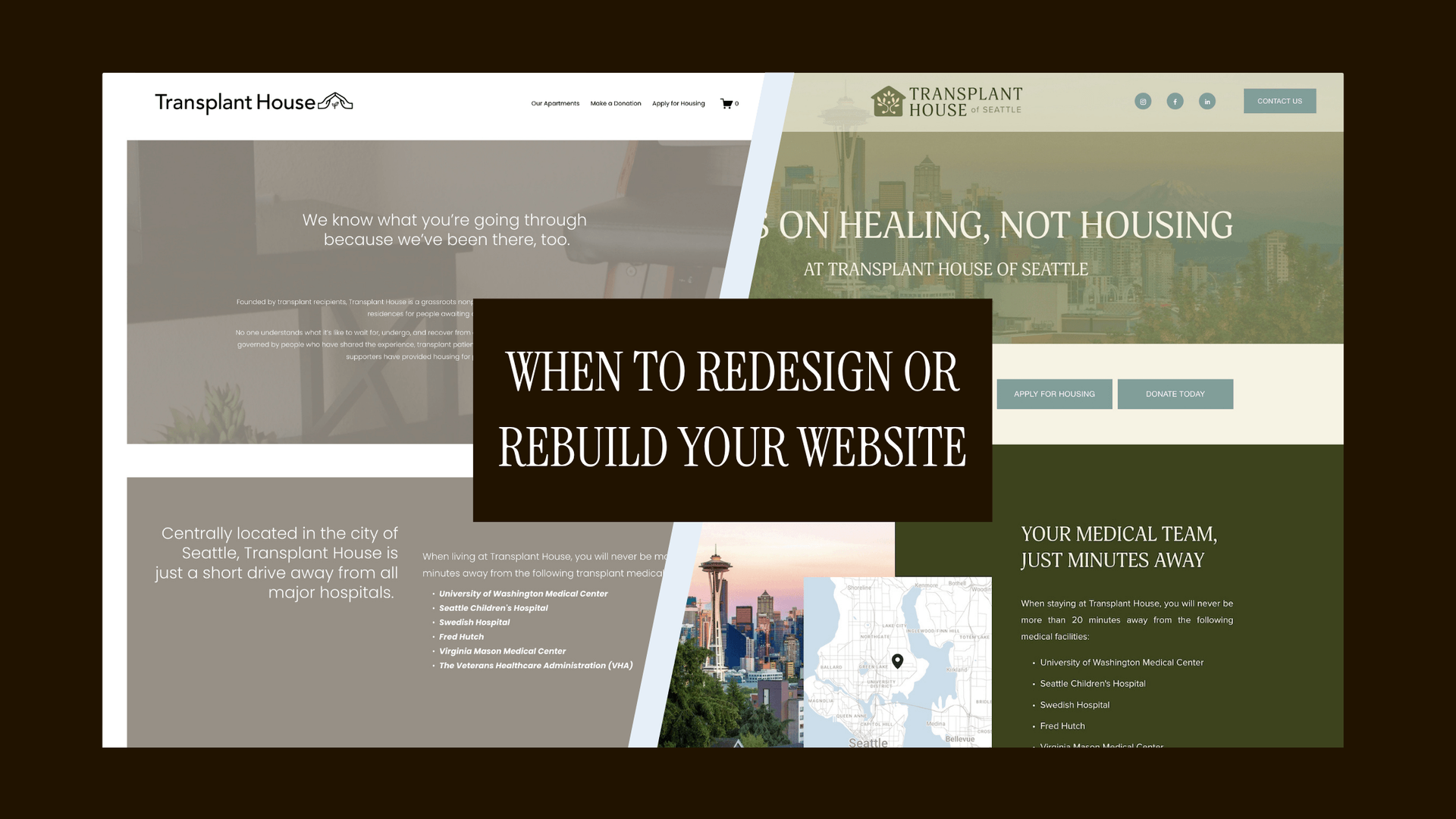
nonprofit web design and see work I've done for clients like
Transplant House and
Center for Women's Leadership.

Don't know where to start? Get your free mini audit.
Actionable tips, resources, and feedback to get you moving.